Part 15 of 24
Accreditations
This page lists every certificate and scheme YY belongs to, and how you can check each one yourself.
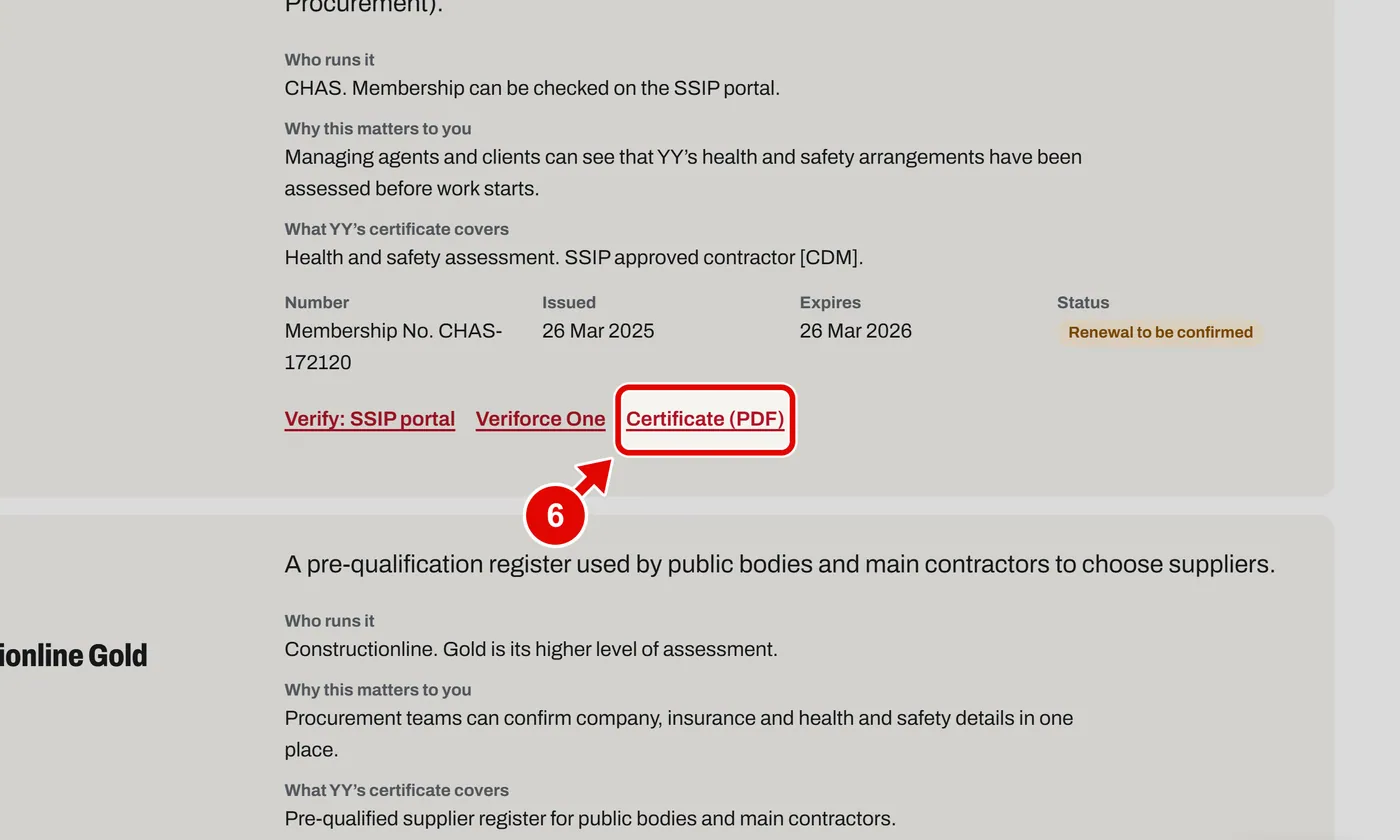
Step 1. Open Accreditations from the footer. Each tile shows a scheme and if it is current.
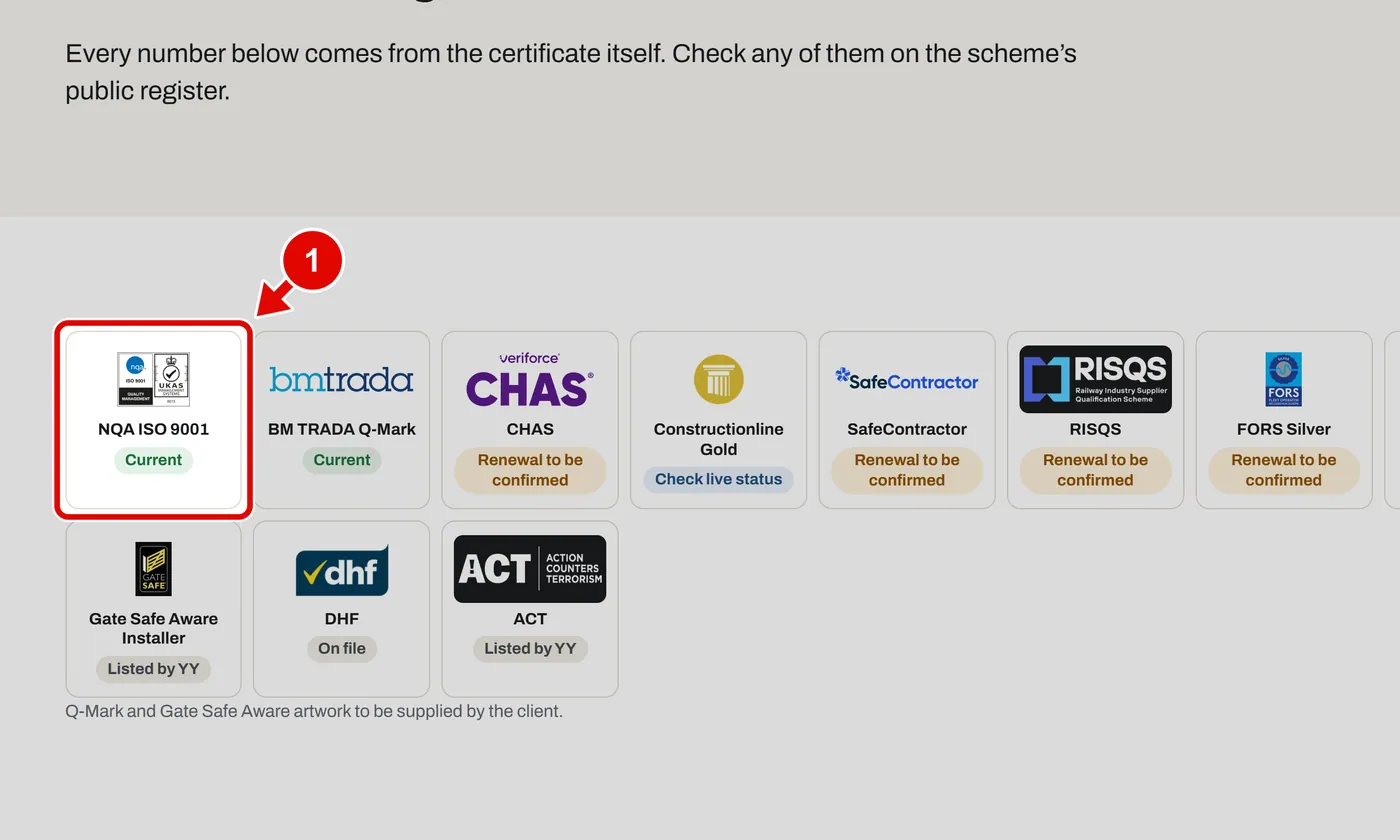
Step 2. The register: each scheme, its number, when it runs out, and its status.
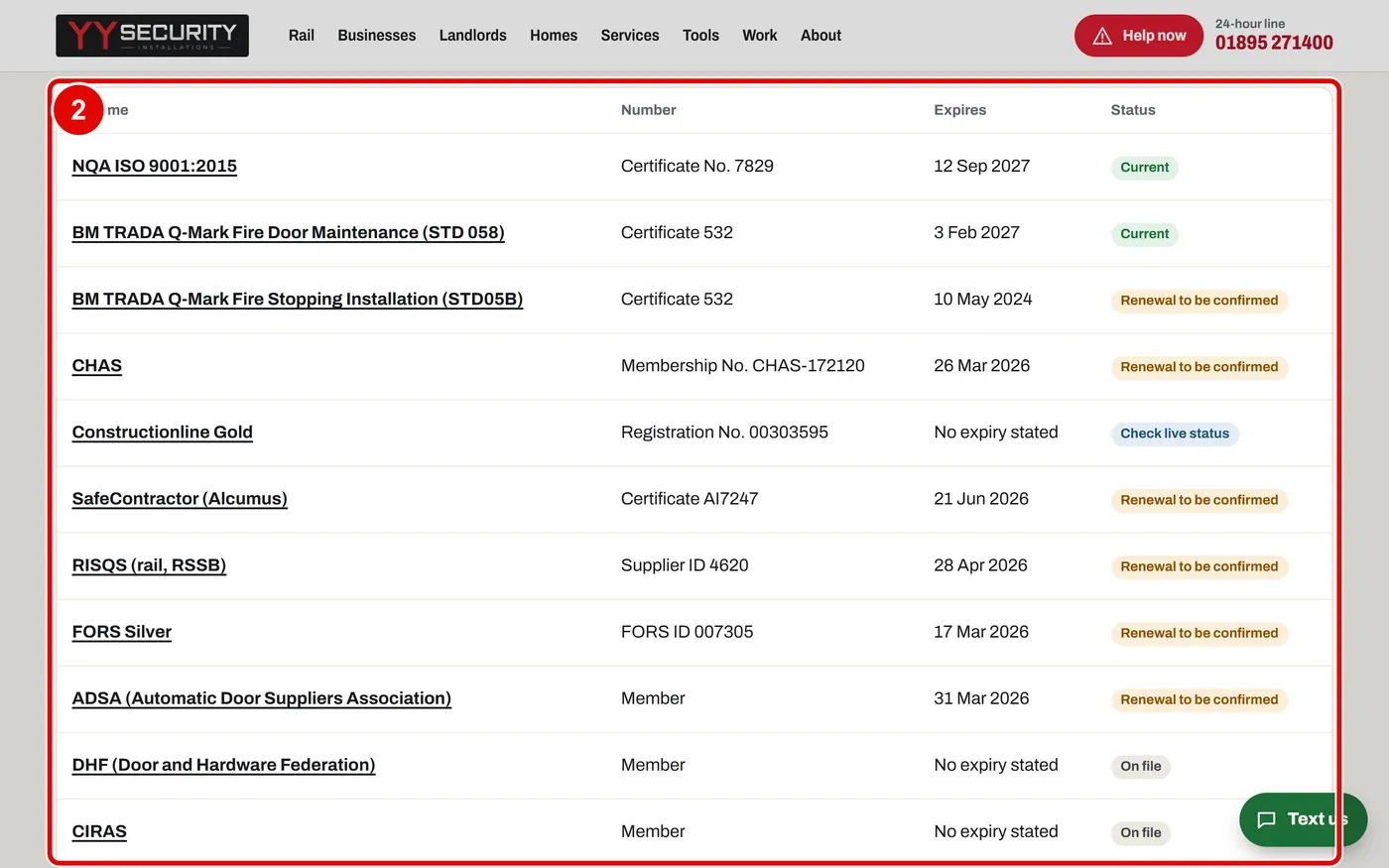
Step 3. Click a scheme name to jump to its part of the page. We click CHAS.
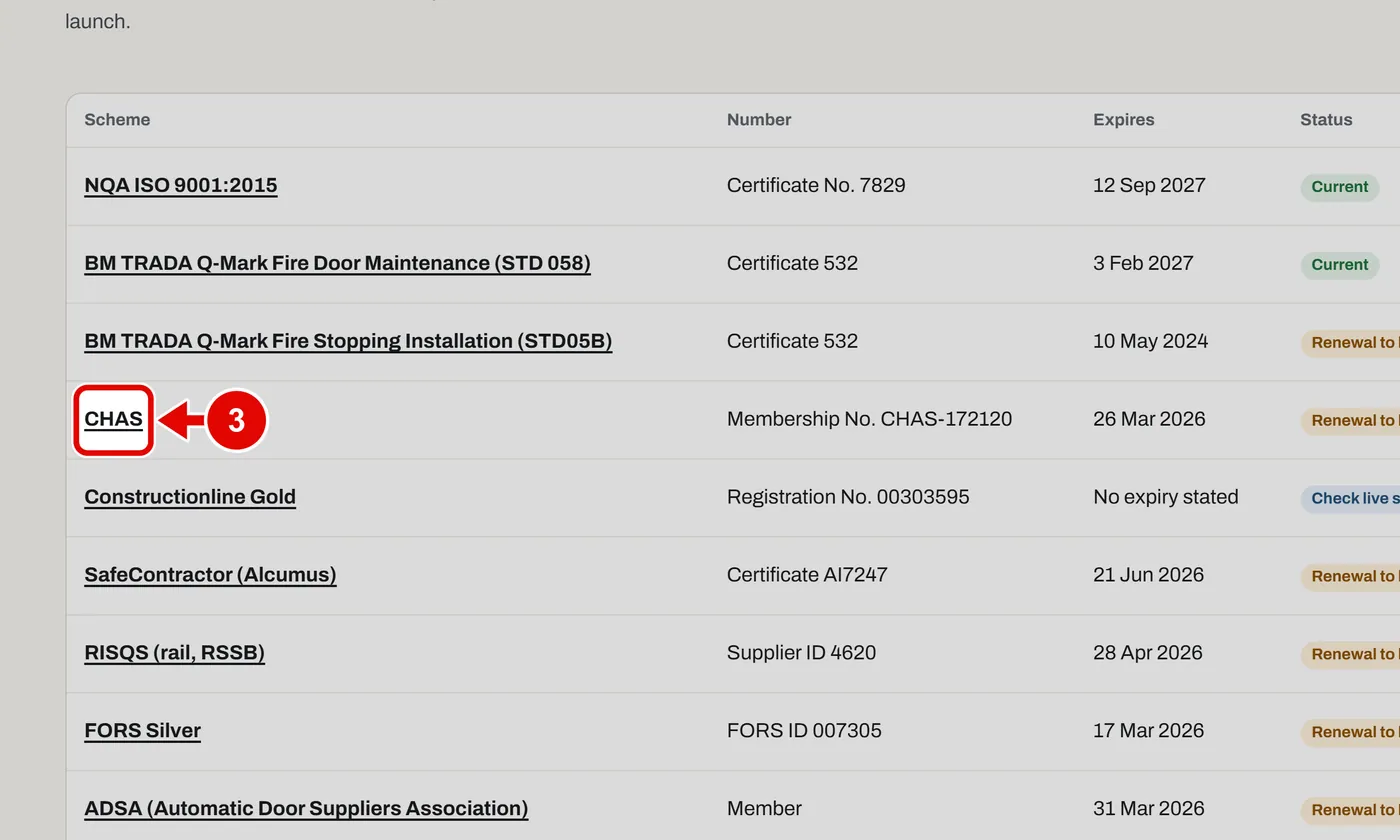
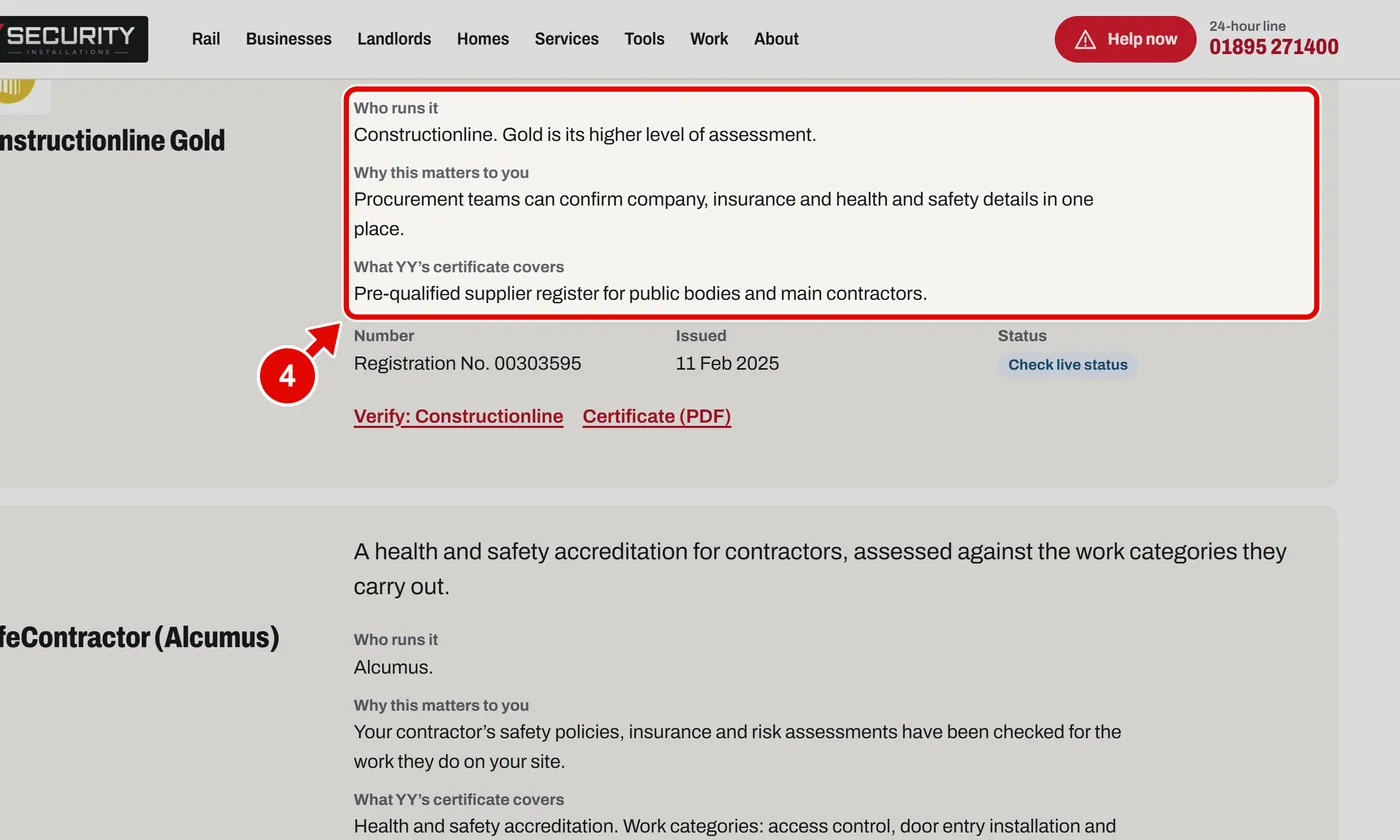
Step 4. Each part says who runs the scheme and why it matters to you.
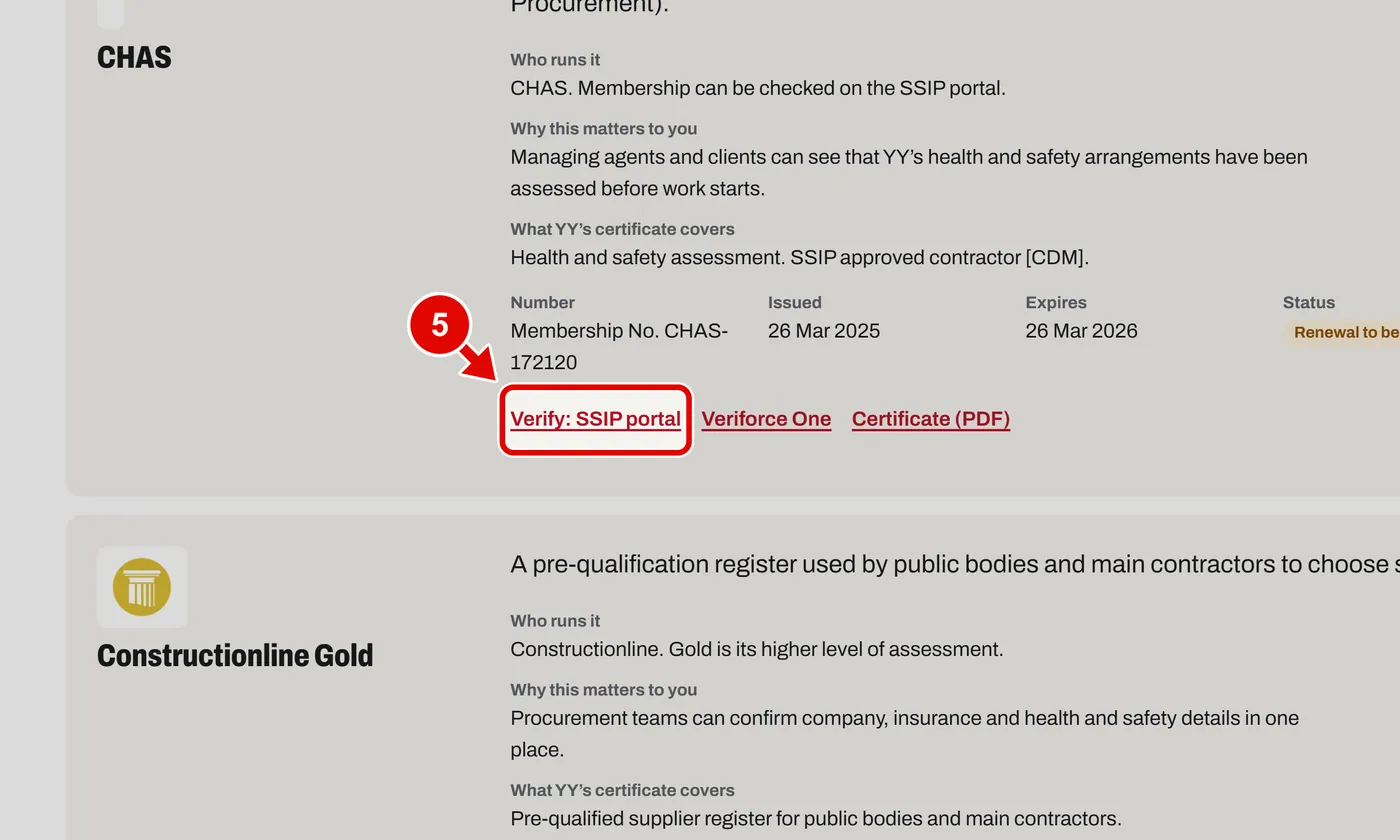
Step 5. Click a Verify link to check it on the scheme's own website.
Step 6. Click Certificate (PDF) to see the certificate itself.