Part 9 of 24

Lock checker

Lock checker tells you if your door lock is the kind insurers usually accept.

  1. Step 1. Open Lock checker. Tap the kind of lock you have. The pictures help.
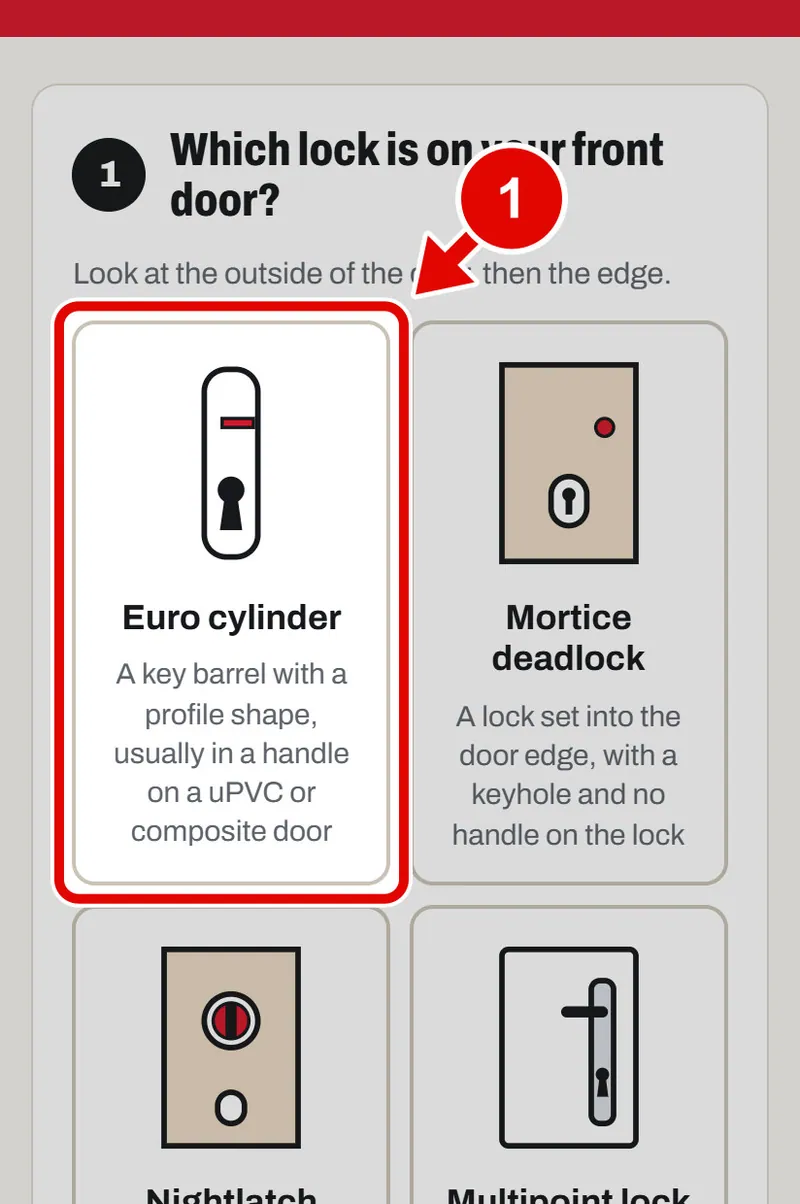
    Screen grab from Lock checker, on a phone. A red box marks the part to use.
  2. Step 2. Look at the edge of the door where the lock shows. Tap each mark you can see stamped on it.
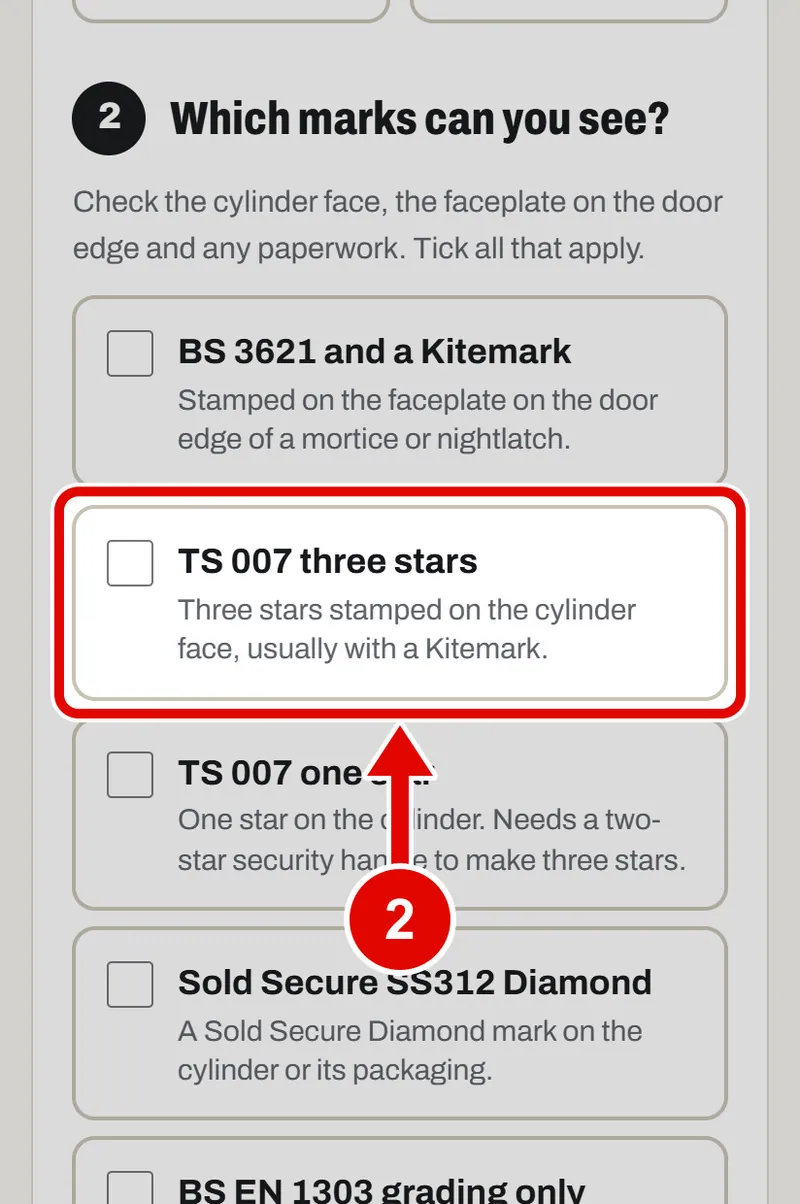
    Screen grab from Lock checker, on a phone. A red box marks the part to use.
  3. Step 3. Answer the last question. Tap Yes or No.
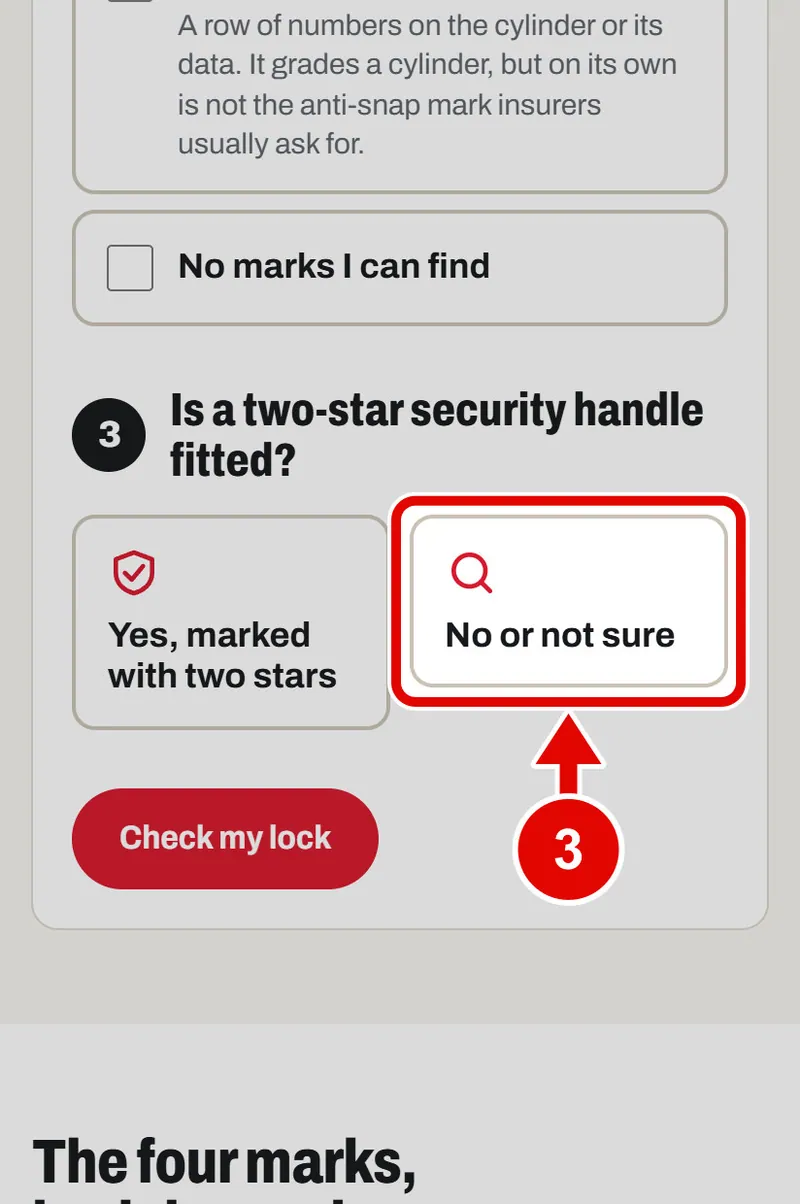
    Screen grab from Lock checker, on a phone. A red box marks the part to use.
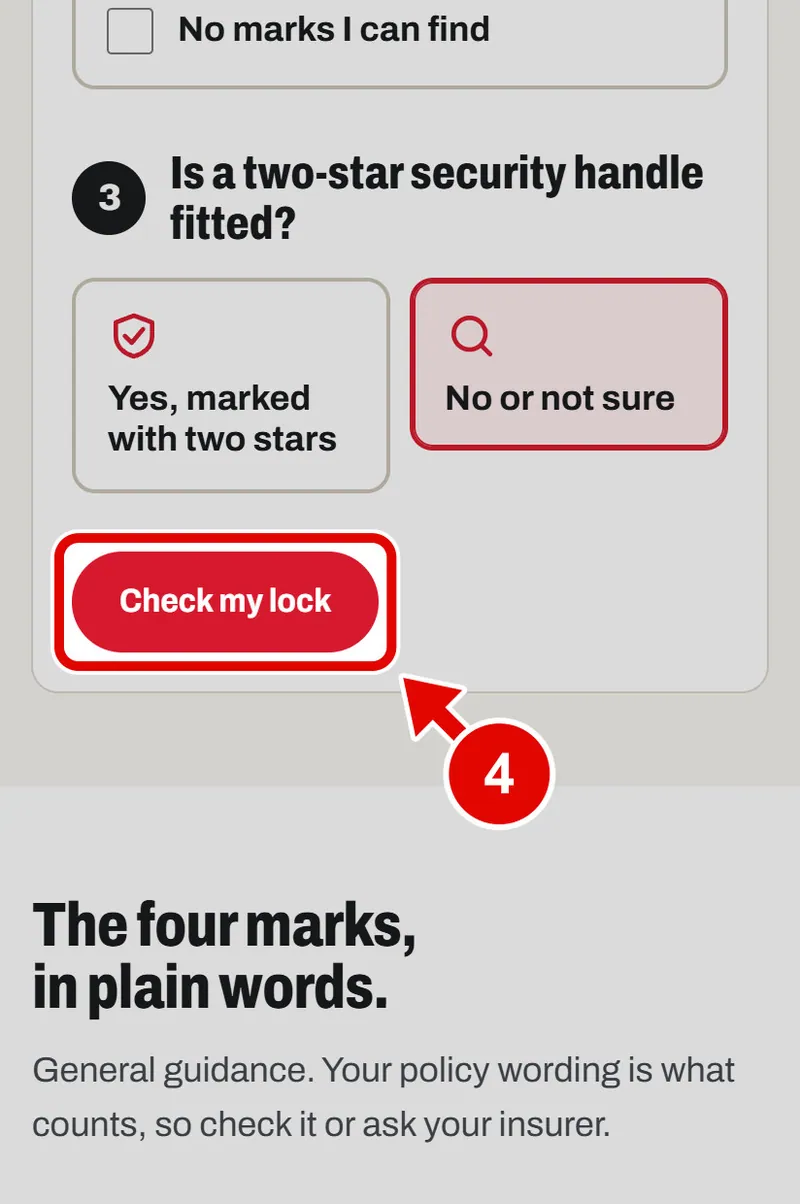
  4. Step 4. Tap Check my lock.

    Screen grab from Lock checker, on a phone. A red box marks the part to use.
  5. Step 5. The answer is in big words. It says if the lock is likely to be accepted, and why.
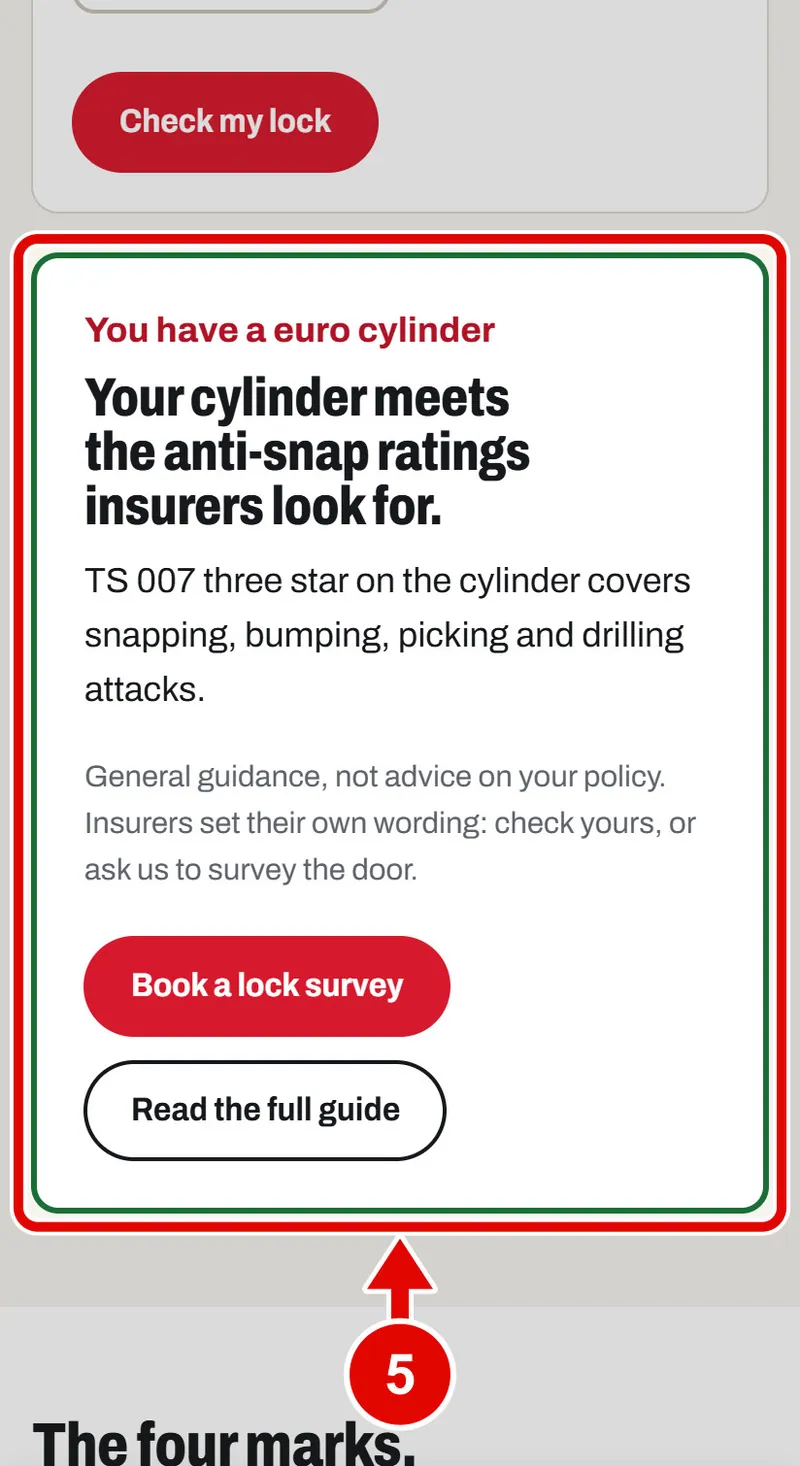
    Screen grab from Lock checker, on a phone. A red box marks the part to use.
  6. Step 6. Want a better lock? Tap Book a lock survey.
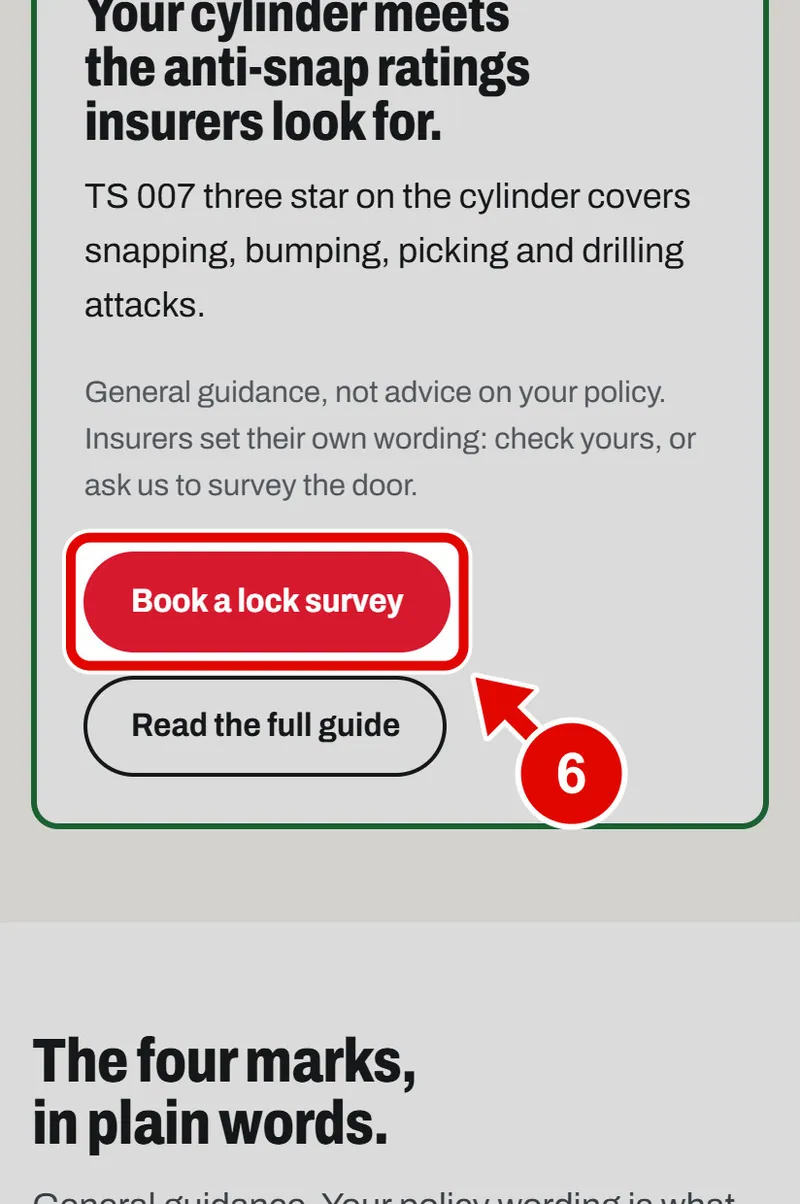
    Screen grab from Lock checker, on a phone. A red box marks the part to use.
  7. Step 7. Lower down, the four marks are explained in plain words.
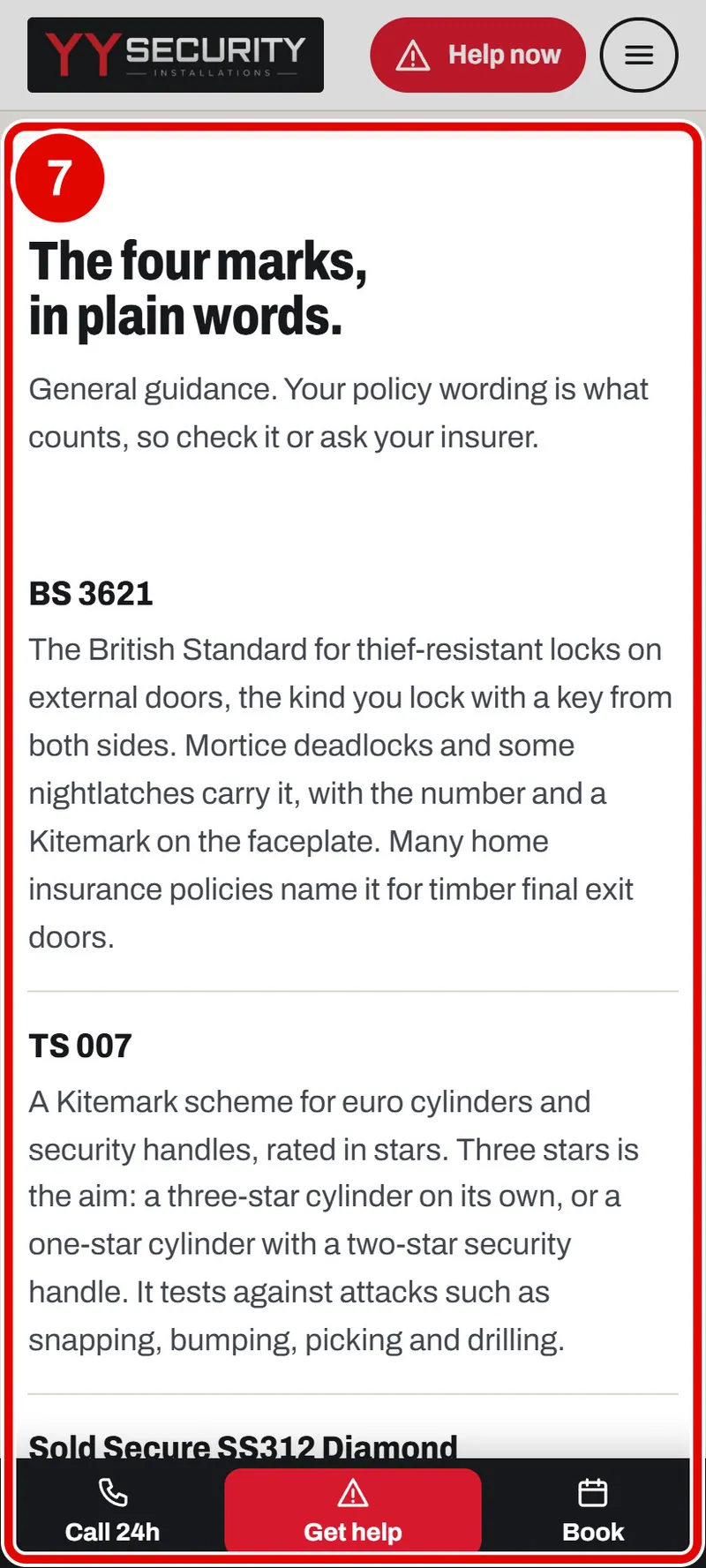
    Screen grab from Lock checker, on a phone. A red box marks the part to use.
Text us