
Part 13 of 24

Services

YY does sixteen services. Each one has its own page.

  1. Step 1. Click Services on the top menu.

    Screen grab from Services, on a computer. A red box marks the part to use.
  2. Step 2. The services sit in four groups. Click the one you want. We click Door repair and maintenance.
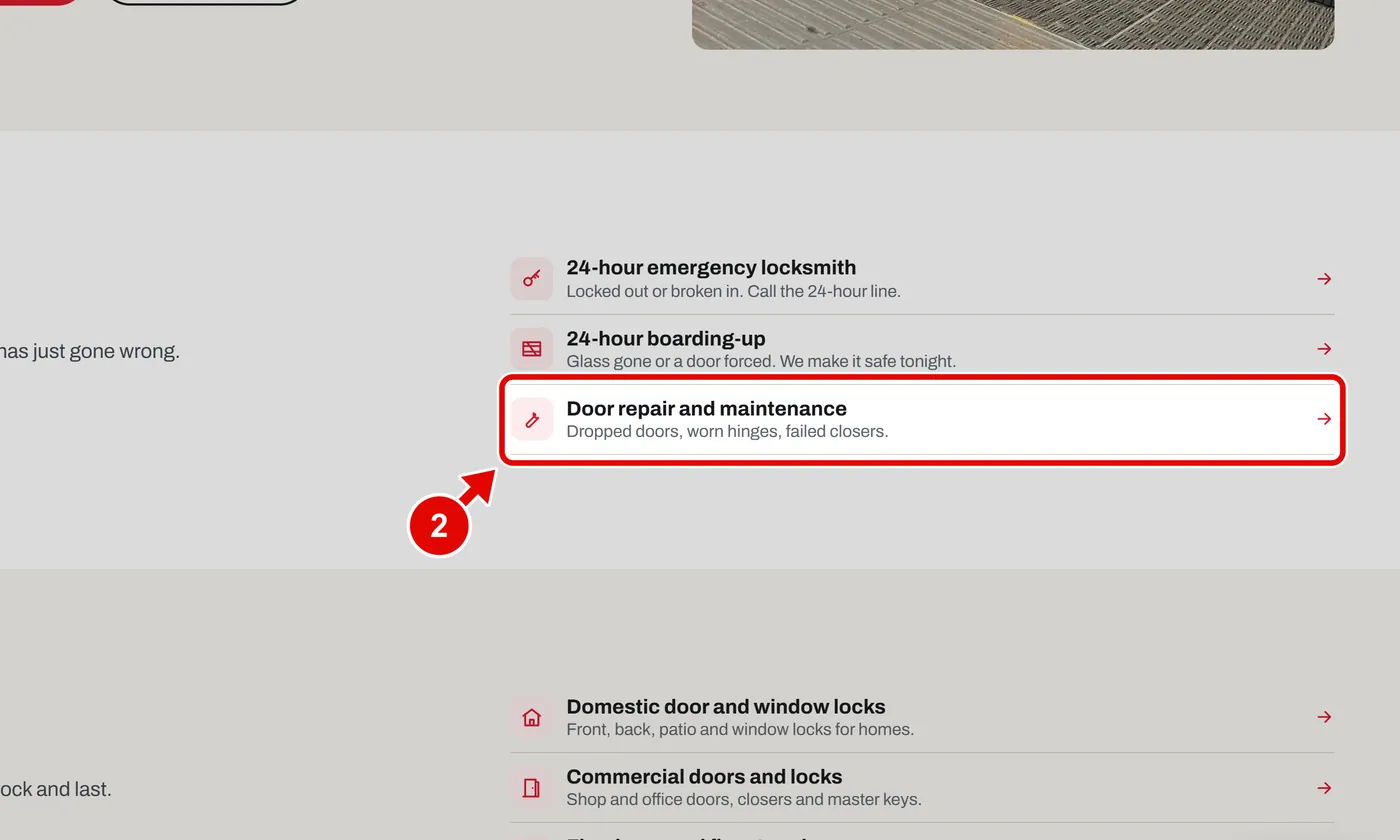
    Screen grab from Services, on a computer. A red box marks the part to use.
  3. Step 3. The service page opens. It says what YY does and who it is for.
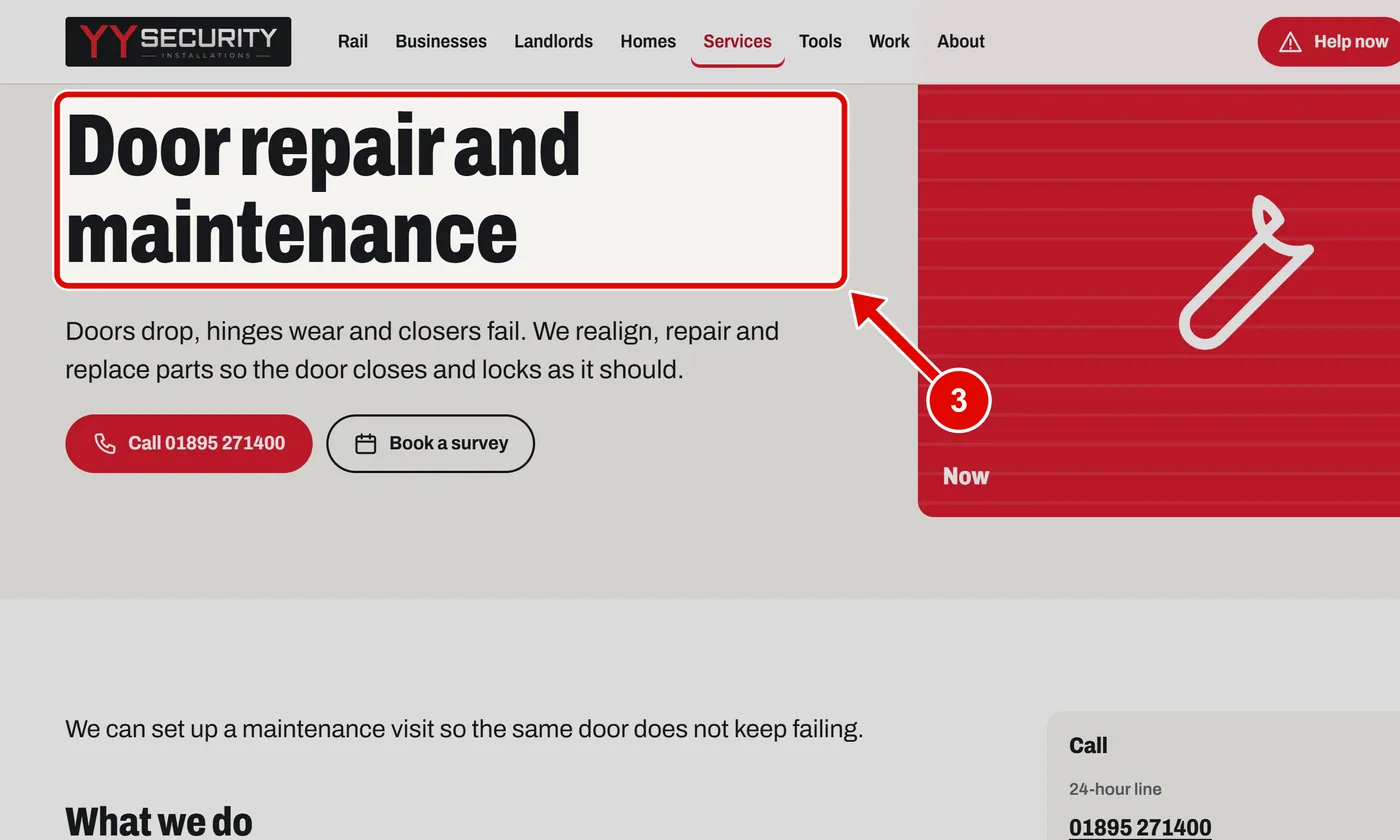
    Screen grab from Services, on a computer. A red box marks the part to use.
  4. Step 4. Click Book a survey. The form already knows which service you want.
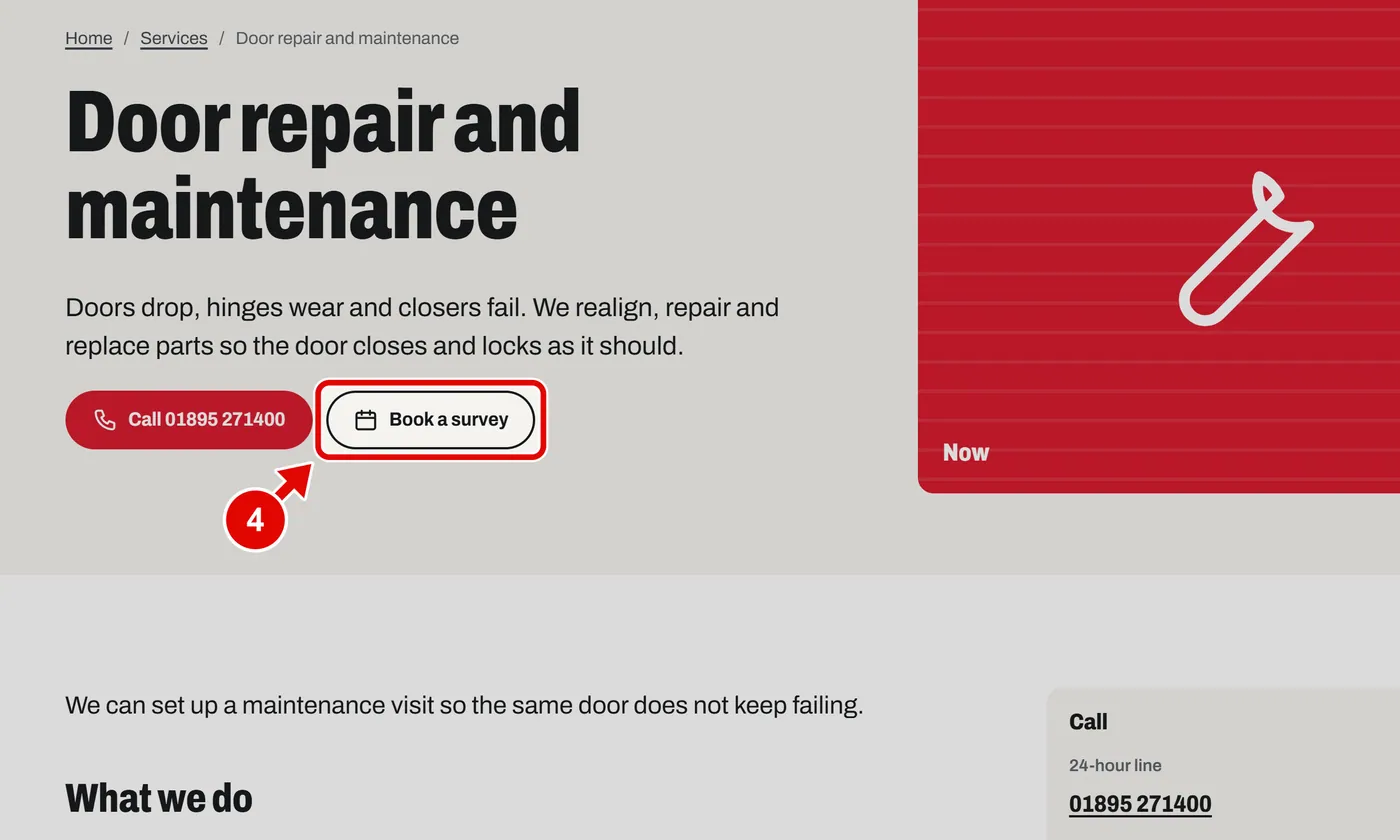
    Screen grab from Services, on a computer. A red box marks the part to use.
  5. Step 5. Asked and answered. Click a question to see the answer.
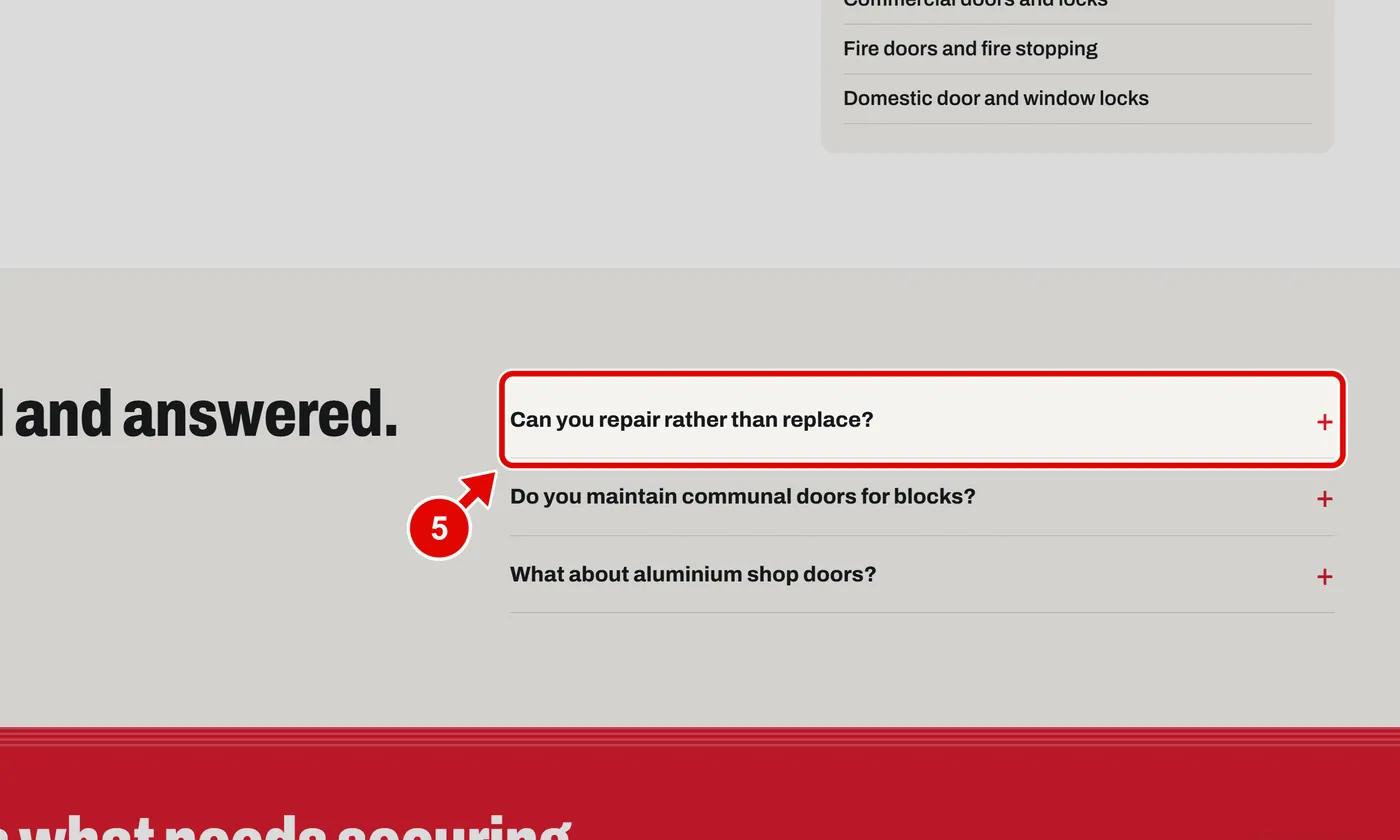
    Screen grab from Services, on a computer. A red box marks the part to use.
  6. Step 6. The answer opens. Click the question again to close it.
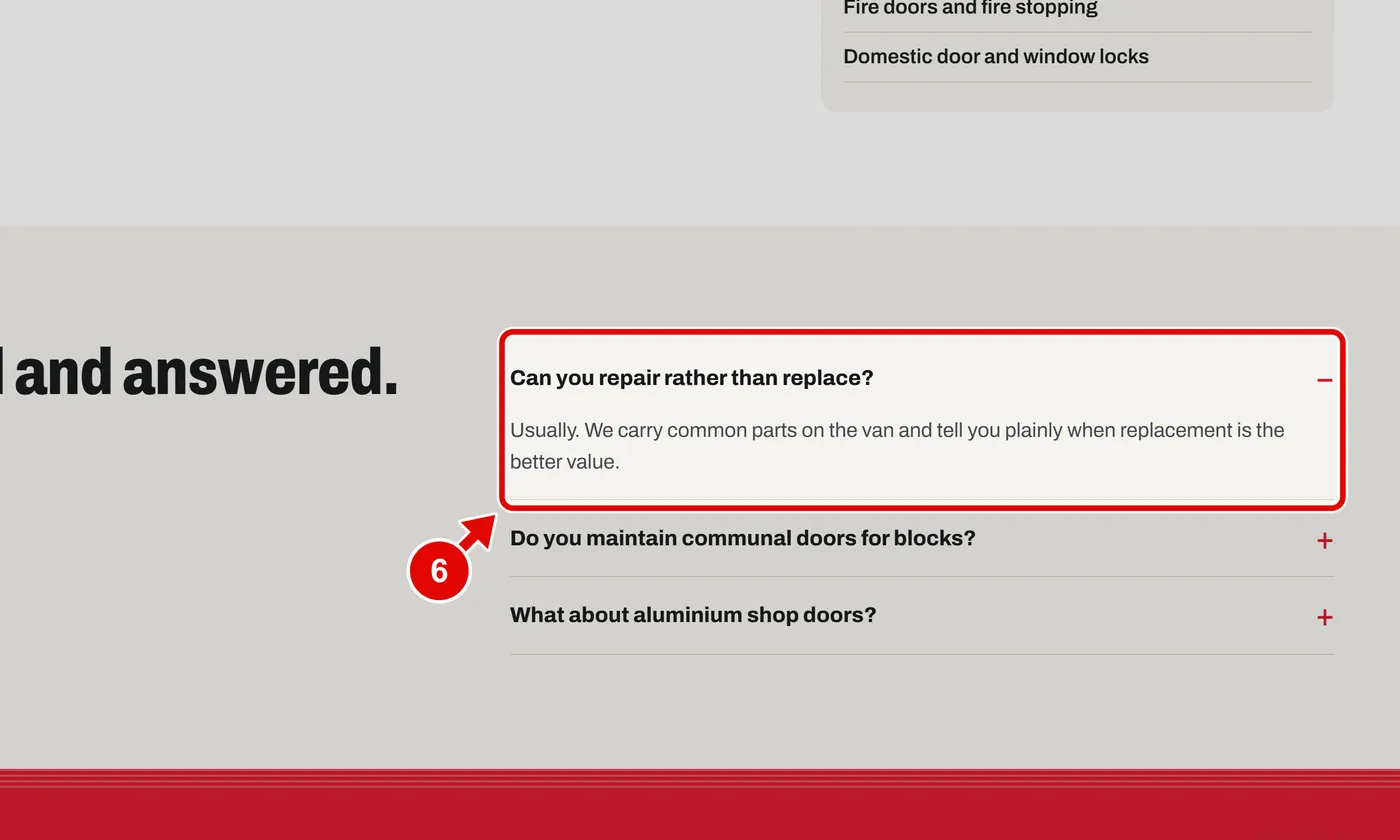
    Screen grab from Services, on a computer. A red box marks the part to use.
Text us